Recovering My Apple Podcast Feed
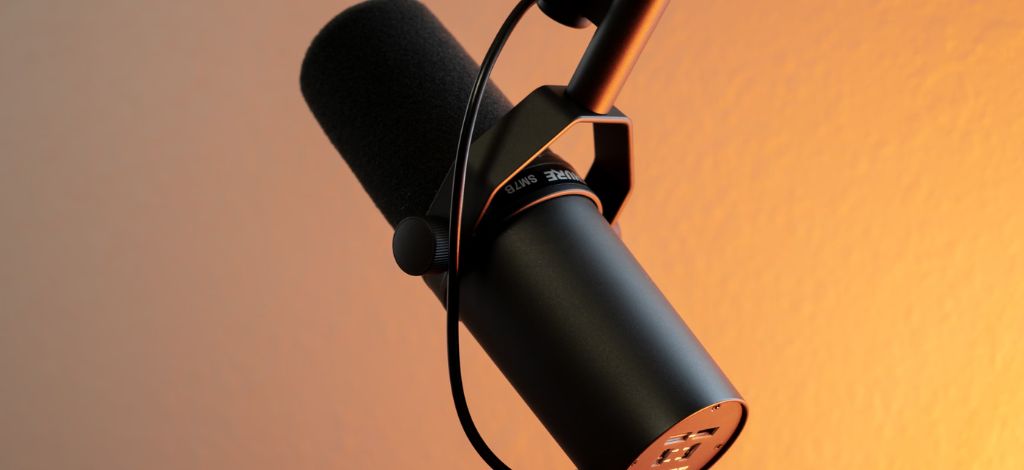
Discovering podcasts
Way back in the mid 2000s, I was still a mildly successful DJ under my alter ego of DJ Cruze. I was regularly travelling to Germany and playing at various clubs and I wanted to share my mixes with a wider audience, and yes, try to get a few more DJ gigs!
As I was a video games programmer at the time, I wasn't an expert on the web so I had naïvely set up my DJ Cruze website as a Blogger site. This worked for a while but I moved over to self-hosted Wordpress to get a bit more control over it once I started hitting the limitations of Blogger. This move gave me the ability to learn about, and set up, an RSS feed for my blog posts. As it was a DJ site, I also wanted to start sharing my DJ mixes as mp3 files.
I had just discovered podcasts for the first time and started listened to a few nerdy tech ones, mainly Leo Laporte's "This Week In Tech (TWIT)" and Adam Curry's "The Daily Source Code". Once I started to dig into the technology that powered podcasts, I discovered that it was just a variation of RSS under the hood. As I knew that Wordpress supported RSS, I found a couple of extra Wordpress plugins, and soon I had a podcast RSS feed ready to go.
I started recording a few mixes, added some voice overs to avoid getting into trouble for sharing unreleased tracks in a DJ mix, compressed them as terrible quality MP3 files, and started The DJ Cruze Podcast. The files were kindly hosted on a friend's server for a while as I had no idea what I was doing nor any concept of bandwidth.
Around the same time, Apple leaned heavily into podcasting and allowed you to submit your podcast to their iTunes directory. I submitted my podcast into the ether and thought nothing much of it. However, after a couple of months I soon gained some fans and quickly discovered that the iTunes crawler was reading my RSS feed over and over again. This quickly used up all of my hosting bandwidth. I quickly needed to cache my feed to stop Dreamhost from charging me more money, so I started looking for a better solution. And then I discovered Feedburner.
👋 Hello Feedburner
Feedburner was a web service that let you manage RSS feeds and, more importantly for me, it could cache them and handle all the bandwidth. I was a cheapskate back then and I didn't want to pay extra for better hosting so this seemed like the perfect solution. I quickly set up a redirect so my Wordpress feed URL would redirect to Feedburner instead. Bandwidth saved! 🎉
I left it like this for years and didn't really think much of it. I stopped making the podcast in 2011 but the feed remained live on Feedburner for anyone who wanted to subscribe to it. In 2012, Google acquired Feedburner and then left it to rot, as they often do with services they buy. I didn't really think much of it for the next decade.
Moving to my own feed
I eventually decided to move my blog away from Wordpress in the late 2010s and wanted to build a static site built with my favourite static site generator, Eleventy. I also wanted to take back control of my podcast feed. Back in 2021, I'd actually written about how to create an Eleventy podcast feed, so I already had the technical understanding of how to do it. My new feed would live at https://www.djcruze.co.uk/podcasts/feed.xml and I wanted to migrate all my old episodes over to this new feed.
As I was hosting the new site on Netlify, I set up redirects from the old Wordpress feed URL to the new Eleventy feed URL. This meant that Feedburner would now be pulling from my new Eleventy feed instead of the old Wordpress one. And then Apple Podcasts would pull from the new RSS feed too.
But I had one problem I wanted to solve: how do you tell Apple Podcasts and all your subscribers to switch to the new feed URL without all of the redirection?
Apple Podcasts had a fancy new web portal for podcasters as podcasting had finally become a big deal. Although Apple still had my podcast listed in their directory, I had no way of managing it as I'd never set up an account with them. I needed to prove ownership of the feed somehow.
So what do you do?
Redirecting subscribers
The answer is a special iTunes RSS tag called <itunes:new-feed-url>. When Apple encounters this tag in the feed markup, they automatically update their subscription to point to the new URL.
Here's what I added to my RSS podcast feed:
<itunes:new-feed-url>https://www.djcruze.co.uk/podcasts/feed.xml</itunes:new-feed-url>This tag tells Apple that you feed has moved to this new feed URL. You'll need to make sure you leave the old HTTP 301 redirect in place from the old feed URL to the new one as well.
Apple recommends keeping this redirect in place for at least four weeks to give subscribers time to migrate. I've kept mine in the feed forever just to be safe. After this, the old feed can be retired and all subscribers should be receiving updates from the new feed.
The importance of GUIDs
Every episode in your podcast feed has a GUID (Globally Unique Identifier). This can be anything you want it to be but you can use URLs as these ideally should never change. If you've not read it, then you should look at this cool URIs never change article. Podcast apps use these GUIDs to track which episodes a subscriber has already downloaded or listened to.
Here's an example GUID from one of my episodes which has the original Wordpress post ID URL:
<guid isPermaLink="false">http://www.djcruze.co.uk/cms/?p=820</guid>If you change the GUIDs when migrating your feed, you're in for a world of pain. Podcast apps will think all your episodes are brand new, and subscribers will re-download everything. They'll also lose their play progress and which episodes they've already heard.
When I migrated from Feedburner to my own feed, I made absolutely certain that every episode kept its original Wordpress GUID. I went through my Feedburner feed XML, noted down each episode's GUID, and made sure my new Eleventy-generated feed used the exact same identifiers.
This was tedious but I didn't want my 50+ podcast episodes to be redownloaded by any subscribers I might have left!
Claiming ownership in Apple Podcasts
The final piece of the puzzle was claiming ownership of my podcast in Apple Podcasts. Because I'd submitted the feed nearly 20 years ago through the old iTunes system, I'd never had access to Apple Podcasts Connect, their modern dashboard for podcast management.
Thanks to Rob Knight's excellent article on verifying an Apple Podcast feed, I learned about the claiming process. Here's how it works:
Step 1: Request to claim your podcast
In Apple Podcasts Connect, you search for your podcast and request to claim it. Apple needs to verify you actually own the feed, so they generate a unique verification code, a UUID-style identifier.
Step 2: Add the verification tag to your feed
You add this verification code to your podcast feed XML as an <itunes:applepodcastsverify> tag:
<itunes:applepodcastsverify>8c011b37-3cc1-4bb9-8c38-example</itunes:applepodcastsverify>This tag goes in your RSS feed's channel section, alongside your other iTunes tags like <itunes:author> and <itunes:category>.
Step 3: Complete verification
Once the tag is in your feed and live on your server, you go back to Apple Podcasts Connect and click to complete the verification. Apple's servers fetch your feed, find the verification tag, confirm it matches their generated code, and you are now verified as the owner of your podcast in their system.
After verification succeeded, I had full access to my podcast's analytics, could update any metadata, and most importantly, I finally had complete control over my feed URL again. Success! 🎉
Own your content
So after two decades, I finally have complete control of my podcast feed again. It lives on my domain, hosted on Netlify, with my RSS implementation, that I built and understand myself. If I want to change hosting providers, I can do it without anyone noticing. If I want to move to a different static site generator, the URL stays the same.
With all of the current turmoil in the tech world, and big tech doing plenty of bad things, I feel much better knowing that my content is mine again. There's quite a backlash to using third-party services for hosting your content these days. Services come and go, get acquired and sold, or just shut down, so it's much better to own your own stuff.
Just remember to preserve those podcast GUIDs, test thoroughly, and take back control!

I'm Marc Littlemore.
I’m an Engineering Manager at n8n who works with high performing development teams and loves to help to grow other software leaders and engineers.
Likes

